VAST & VMAP Ads
The Enterprise ad engine runs client-side linear video ads directly inside Flutter using VAST (2.0, 3.0, 4.x) and VMAP break schedules. No webviews, no heavy third-party SDK dependencies.
Dual-texture video stacking runs the ad in a secondary player layer on top while the main video pauses underneath. Once the ad finishes or the user skips, the ad layer unmounts and the main stream resumes without reloading.
Screenshots
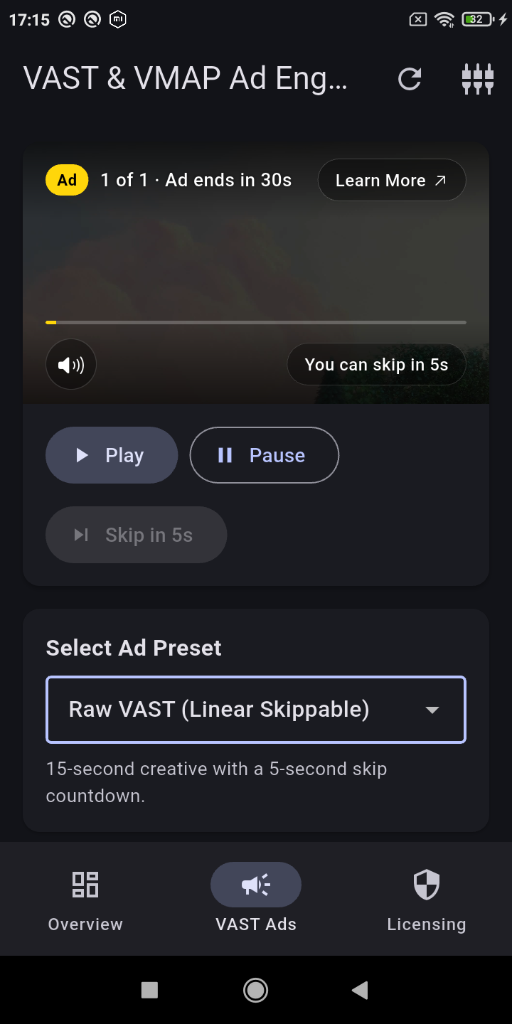
iOS Cupertino Glass Controls
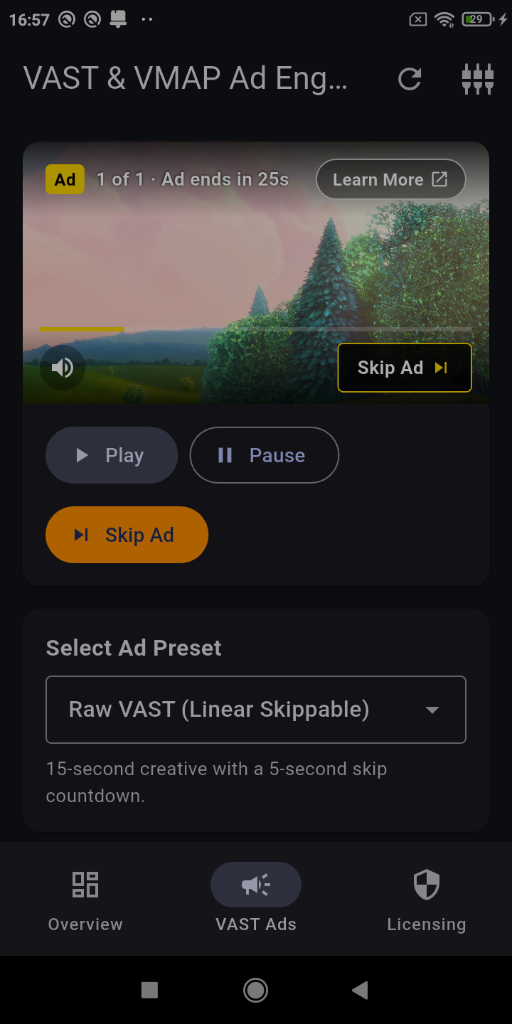
Material Controls
License Setup
Enterprise capabilities require license verification during app startup:
import 'package:better_player_enterprise/better_player_enterprise.dart';
import 'package:flutter/material.dart';

void main() async {
  WidgetsFlutterBinding.ensureInitialized();

  await BetterPlayerEnterprise.initialize(
    licenseId: 'YOUR_PILOT_LICENSE_KEY',
  );

  runApp(const MyApp());
}
If the license is absent or invalid, the ad layer fails open: main video playback continues uninterrupted.
Basic Ad Setup
Add BetterPlayerVastExtension to your PlayerConfiguration:
import 'package:better_player/better_player.dart';
import 'package:better_player_enterprise/better_player_enterprise.dart';
import 'package:flutter/material.dart';
class VideoPlayerWithAds extends StatefulWidget {
const VideoPlayerWithAds({super.key});
State<VideoPlayerWithAds> createState() => _VideoPlayerWithAdsState();
}
class _VideoPlayerWithAdsState extends State<VideoPlayerWithAds> {
late BetterPlayerController _controller;
void initState() {
super.initState();
final adExtension = BetterPlayerVastExtension(
configuration: BetterPlayerAdConfiguration(
adTagUrl: 'https://pubads.g.doubleclick.net/gampad/ads?sz=640x480&iu=/124319096/external/single_ad_samples&ciu_szs=300x250&impl=s&gdfp_req=1&env=vp&output=vast&unviewed_position_start=1&cust_params=deployment%3Ddevsite%26sample_ct%3Dlinear&correlator=',
failOpen: true,
onAdStart: (ad) => print('Ad started: ${ad.id}'),
onAdComplete: (ad) => print('Ad completed: ${ad.id}'),
onAdSkipped: (ad) => print('Ad skipped: ${ad.id}'),
onAdError: (error) => print('Ad error: $error'),
),
);
_controller = BetterPlayerController(
PlayerConfiguration(
aspectRatio: 16 / 9,
fit: BoxFit.contain,
autoPlay: true,
extensions: [adExtension],
),
);
_controller.setupDataSource(
PlayerDataSource(
DataSourceType.network,
'https://commondatastorage.googleapis.com/gtv-videos-bucket/sample/BigBuckBunny.mp4',
),
);
}
void dispose() {
// Controller disposal automatically tears down attached extensions
_controller.dispose();
super.dispose();
}
Widget build(BuildContext context) {
return BetterPlayer(controller: _controller);
}
}
Standalone usage: You can also instantiate BetterPlayerAdManager(mainController: controller, configuration: config) directly if you manage lifecycles manually.
Configuration Options
Configure ad handling through BetterPlayerAdConfiguration:
adTagUrl: Remote URL returning VAST 2.0/3.0/4.x or VMAP XML.rawVastXml: Direct raw XML string. Useful for pre-fetched manifests or unit tests.failOpen: Defaults totrue. When an ad fails to load, times out, or receives an empty feed, playback resumes immediately without stalling the user.adTimeout: Network timeout budget for ad fetching and wrapper hops (default: 5 seconds).preferHls: Defaults totrue. Selects adaptive HLS renditions when available in the VAST creative, falling back to progressive MP4.maxBitrate: Bitrate ceiling in kbps for selecting ad video renditions.preWarmMidRolls: Defaults totrue. Pre-fetches scheduled mid-roll manifests 10 seconds before their cue point to minimize transition latency.displayConfiguration: Controls visual appearance, colors, visibility flags, translations, and theme.
UI Themes
The ad overlay automatically resolves the UI theme:
- On iOS, it defaults to Cupertino glass controls: translucent pill badges, SF-style countdowns, circular glass mute button, and
CupertinoIcons. - On Android and other platforms, it defaults to Material controls.
To force Cupertino controls across all platforms:
BetterPlayerAdConfiguration(
  adTagUrl: 'https://example.com/vast.xml',
  displayConfiguration: BetterPlayerAdDisplayConfiguration.cupertino(),
);
You can also customize individual overlay elements:
BetterPlayerAdConfiguration(
  adTagUrl: 'https://example.com/vast.xml',
  displayConfiguration: BetterPlayerAdDisplayConfiguration(
    customBadgeText: 'SPONSORED',
    badgeBackgroundColor: Colors.amber,
    showLearnMore: true,
    showMute: true,
    showProgressBar: true,
  ),
);
VMAP Ad Break Schedules
The ad engine parses VMAP manifests containing multiple scheduled breaks:
- Pre-roll: Triggered immediately before main content begins.
- Mid-roll cue points: Triggered when the main video position reaches the cue timestamp (for example
timeOffset="00:05:00"). - Post-roll: Triggered when the main video reaches completion.
No extra code is required for VMAP. Pass the VMAP tag to adTagUrl and cue points schedule automatically.
Early Access
Better Player Enterprise is available to early bird partners for free during initial feature development.
To request access to the private repository and receive a trial license key, send an email to betterplayer@hasoft.pl.